Author: Ryan

JRS Eco 100 Era Review: What I Found After Living With It

If you’re looking for a low EMF WiFi router that still performs like a real router, the JRS Eco 100 Era is the one I’ve been running in my own house. Most routers broadcast a beacon signal about ten times a second, whether anyone is using the internet or not. This one is built to stop doing that when no device needs it. Here’s what it actually does, what I measured, and where it falls short.

What the JRS Eco 100 Era Actually Is

The Eco 100 Era is a WiFi router based on the Asus TUF Gaming AX4200, but running custom firmware from JRS Eco instead of stock Asus software. They didn’t reinvent the router. They took a solid, well reviewed Asus router and rewrote the part that controls how it broadcasts WiFi.
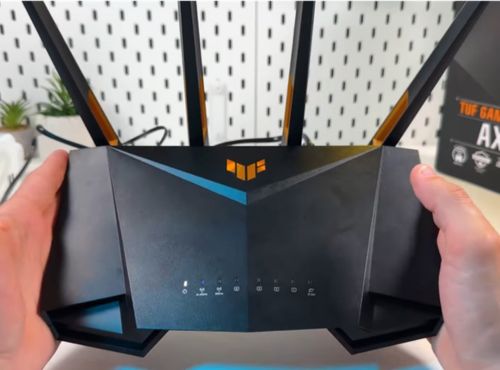
The core feature is a mode JRS calls Full Eco. When no devices are actively using WiFi, the router stops broadcasting entirely. The moment a connected device asks for WiFi again, it wakes back up, usually within a second or two. JRS also claims an 87 percent reduction in beacon pulse rate compared to a standard router, even outside of Full Eco mode.

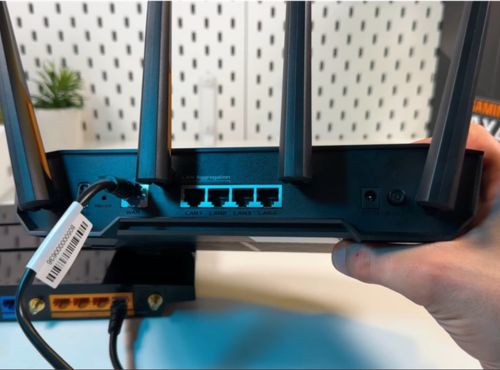
Everything else is modern router spec sheet: AX4200 speeds, a 2.5 Gbps internet port, four gigabit LAN ports, and WPA3 security. It also supports WireGuard and OpenVPN if you want to run a VPN, and has a USB 3 port for file sharing or a shared printer.
The base router supports Asus AiMesh, so larger homes can extend coverage with a second compatible unit. I haven’t tested how the low EMF features hold up across a multi-router mesh setup, so if that’s your situation, confirm with JRS directly before buying more than one.

It runs a little over $300 on the the JRS Eco website, backed by a 2 year warranty and a 30 day return policy. You’re paying for the firmware, not the hardware itself.

Setting It Up in My House

Installation took about half an hour, most of which was spent turning off the WiFi on my internet provider’s modem. This part is easy to overlook. The Eco 100 Era is a router, not a modem, so it plugs into your existing modem with an ethernet cable. If your provider’s modem has its own WiFi built in, you need to disable that separately, or you end up with two WiFi signals running at once, which defeats the purpose.

Once that was sorted, connecting my phone, laptop, and other devices was simple. The one quirk worth knowing about is the hidden “jrs” network. Your devices need to connect to it briefly during setup so the router recognizes them as devices allowed to wake it from standby. It’s a small extra step, but not one you’d expect if you’re used to a normal router.

What I Measured

I ran my Trifield TF2 and GQ EMF-390 through the house before and after switching. With the router sitting in Full Eco standby, meaning no devices were actively pulling data, I measured zero RF output at the router itself. With WiFi active on a device, readings climbed but stayed noticeably lower than what I recorded from my old router at the same distance.

The bigger difference showed up overnight. My old router pulsed a beacon signal all day and all night, whether anyone needed it or not. With the Eco 100 Era in Full Eco mode overnight, readings from the router dropped to zero for the hours nobody was using a device. That’s the window I cared about most, since that’s when we’re in the room the longest and least likely to need active WiFi.

This is one home, one set of meters. Your results may vary, but this gives you a real data point instead of just marketing copy.

What I Like

  • Full Eco mode genuinely drops to zero output when nothing needs WiFi, confirmed with two different meters
  • Wakes up fast enough that I never notice a delay
  • Performs like a full featured modern router, not a stripped down version
  • The Tx power slider lets you dial in only the range you need instead of blasting a full home’s worth of signal into a small apartment
  • WPA3 security and VPN support mean you’re not giving up anything on the security side
  • A 2 year warranty and 30 day return policy take some of the risk out of the price

Worth Knowing

  • You have to disable WiFi on your existing modem yourself, and depending on your provider, that step can be more annoying than it sounds
  • Every device needs to connect to the hidden “jrs” network once during setup
  • It’s a genuinely large router, more so than most consumer routers, so make sure you have the shelf space
  • At over $300 it costs more than most consumer routers
  • Some users report occasional reboots being necessary, though I haven’t run into that yet myself
  • If you have smart home devices that stay connected around the clock, like smart speakers or a video doorbell, Full Eco mode may rarely trigger on its own since something is always asking for WiFi. You still get the reduced pulse rate benefit any time WiFi is active, and you can force a guaranteed off window using the built in scheduler regardless of what’s connected

My take: if cutting the constant RF output in your home matters to you and you don’t want to sacrifice router performance to get there, the JRS Eco 100 Era is worth it. There isn’t really another product on the market doing exactly what Full Eco mode does, so this is less about comparing it to a cheaper alternative and more about deciding if the feature itself is worth it to you. It’s the one running my network right now, and my own readings back up what JRS claims it does.

Check price on the JRS Eco website

Frequently Asked Questions

Here are the questions I get asked most often about this specific router.

Will this still help if I have smart home devices that are always connected?

Yes, but with a caveat. Full Eco mode relies on nothing asking for WiFi, so a smart speaker, video doorbell, or similar always-on device can keep the router from ever fully idling. You still get the 87 percent reduced pulse rate any time WiFi is active, and you can use the router’s built in scheduler to force a guaranteed off window, like overnight, no matter what’s connected.

Could I just do this myself by changing settings on my own router?

You’ll find real skepticism about this on tech-focused forums, where some argue you’re paying for something you could set up yourself by adjusting a router’s beacon interval. There’s some truth to that if your router happens to expose that setting, which most consumer routers don’t. But even on routers that do, it only reduces beacon frequency. It doesn’t replicate the on-demand full standby behavior, where the router goes completely silent and wakes back up automatically the moment a device asks for WiFi. That combination is what you’re paying JRS’s firmware for.

Does using this router slow down my internet?

Not in my experience. It’s still running full AX4200 speeds, and I haven’t noticed any drop in speed or range compared to my old router.

Why I Wanted a Lower EMF Router in the First Place

A router doesn’t just turn on when you need it. It runs continuously, all day and all night, in the same spot in your home, whether anyone is using it or not. That’s the part that made me want more control over mine.

The ICNIRP exposure guidelines that most routers are built around were set to prevent short term heating effects, and they haven’t been substantially updated to reflect the growing research on long term, low level exposure, including findings from the National Toxicology Program study and the Ramazzini Institute.

Hundreds of researchers have signed the International EMF Scientist Appeal calling for stronger standards. Regulators have been slow to act on environmental health risks before, asbestos and lead being the obvious examples. That history doesn’t prove WiFi is next in line. It just means reducing exposure where it’s easy to do isn’t overreacting. It’s a reasonable precaution while the research catches up.

Where to Get This Low EMF Router

Everything in this review comes from my own testing, not manufacturer claims. If reducing the constant RF output in your home is worth it to you, this is the router doing it, and it’s the one I’m still using. Check the price on the JRS Eco website.

This article contains affiliate links. If you purchase through these links I may earn a commission at no additional cost to you. I only recommend products I have personally used and would recommend regardless of any commission.

I’m not a doctor or an engineer. Nothing in this review is medical advice. If you have specific health concerns related to EMF exposure, talk to a qualified healthcare provider.
Leave a Comment

Best RF Meters: 4 That Are Actually Worth Buying

If you’ve decided you want a dedicated RF meter rather than an all-in-one EMF meter, you’re asking the right question. A purpose-built RF meter gives you better sensitivity and more confidence in low-level readings than most EMF meters can match. The tradeoff is that it only measures radio frequency radiation, so you’ll need a separate device for magnetic and electric fields.

If you want to measure magnetic and electric fields alongside RF in a single device, the Trifield TF2 is what I use and recommend.

Affiliate disclosure: Some links here are affiliate links. If you buy through them I may earn a small commission at no extra cost to you.

These are the four RF meters I recommend to anyone serious about understanding their RF environment.

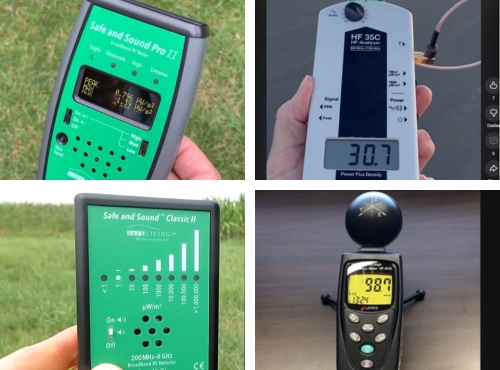
  1. Safe and Sound Pro II
  2. Gigahertz Solutions HF35C
  3. Safe and Sound Classic III
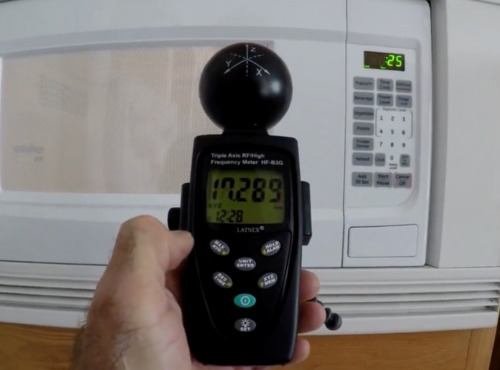
  4. LATNEX HF-B3G

1. Safe and Sound Pro II

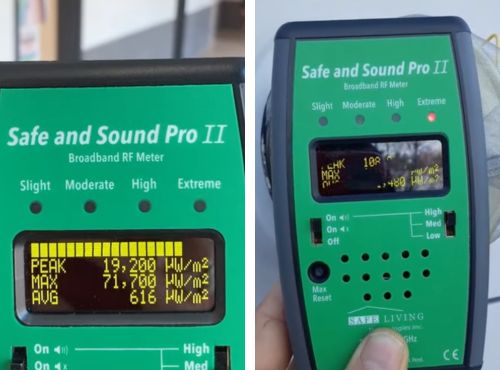
The Safe and Sound Pro II is the model I point most people toward when they’ve decided they want a dedicated RF device. It covers 200 MHz to 8 GHz across the full RF spectrum, which captures virtually everything you’ll encounter in a modern home. That includes Wi-Fi on both the 2.4 and 5 GHz bands, cell phones, cell towers, smart meters, Bluetooth, and current 5G deployments.

It’s been third-party tested and certified by Nemko Canada, which is one of the things that separates it from most portable handheld meters in this price range. You’re not just taking the manufacturer’s word for the accuracy.

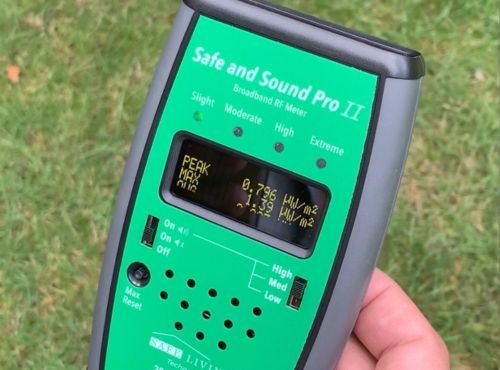
The display is one of the clearest I’ve used. It shows peak, max hold, and average readings simultaneously in µW/m², with a color-coded LED bar that gives you an instant visual read on EMF levels without having to interpret numbers.

The audio function is genuinely useful once you spend a little time with it. Different RF sources produce different sound patterns, and after a while you start to recognize Wi-Fi pulses versus a smart meter versus a cell signal without even looking at the screen.

shows peak, max hold, and average readings simultaneously with color coded leds

It’s a single-axis meter, which means you need to rotate it slowly to find the direction of the strongest signal. That’s standard for this class of meter but takes a few minutes to get used to.

What I like

  • Third-party certified accuracy, not just manufacturer claims
  • Covers the full RF spectrum from 200 MHz to 8 GHz including 5 GHz Wi-Fi and current 5G
  • Clean display showing peak, max hold, and average simultaneously
  • Audio function helps identify sources by sound pattern
  • Sensitive down to 0.001 µW/m², useful for finding low-level sources
  • USB power jack for continuous monitoring without draining batteries

Worth knowing

  • Single-axis antenna requires you to rotate the meter to find peak signal direction
  • RF radiation only, no magnetic or electric field measurement

My take: This is the one I’d buy if I were starting over with a RF meter. It’s accurate, easy to read, and backed by independent testing. For most people doing serious home testing, nothing else at this price point comes close.

Check price on Amazon

2. Gigahertz Solutions HF35C

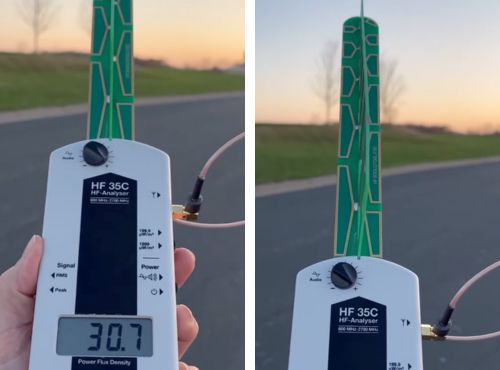
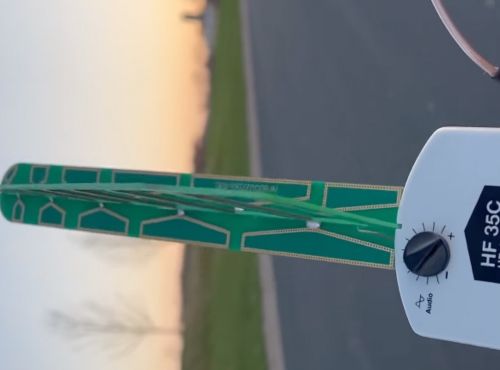
The Gigahertz Solutions HF35C is the meter building biologists have been recommending for years, and the reputation is earned. It’s made in Germany to Bau-Biologie measurement standards and is one of the most trusted options for professional RF assessment. The directional logarithmic-periodic antenna is genuinely useful for pinpointing where a signal is coming from.

When I’m trying to identify a specific source in a room rather than just get a general reading, the directional capability of this meter is hard to beat. Point it around the room and the readings climb as you face the source.

It also detects both analog and digital signals, which matters if you’re in an area with older analog RF infrastructure alongside modern digital technology.

There’s one limitation you need to know going in. The HF35C covers 800 MHz to 2.7 GHz, which does not include 5 GHz Wi-Fi. If your home has a modern router running primarily on the 5 GHz band, this meter will miss a significant part of your wireless electromagnetic fields environment.

The antenna also deserves a mention. It attaches via a small cable and connector that feels fiddly compared to the clean built-in antennas on the other meters on this list. The manual actually warns against overtightening it, and I’ve seen the connector damaged from exactly that.

What I like

  • Exceptional accuracy, trusted by building biologists worldwide
  • Directional antenna makes source detection and identification straightforward
  • Detects both analog and digital signals
  • Fine and coarse measurement ranges for both low and high level environments
  • Audio function for signal identification
  • Made in Germany with strict calibration standards

Worth knowing

  • Frequency range of 800 MHz to 2.7 GHz misses 5 GHz Wi-Fi entirely
  • External antenna connection feels fragile and requires careful handling
  • No max hold function

My take: If pinpointing RF sources with precision is your priority and your main concern is cell tower exposure rather than Wi-Fi, the HF35C is excellent. Just go in knowing the frequency ceiling is a real limitation in a world where 5 GHz Wi-Fi is everywhere.

Check price on Amazon

3. Safe and Sound Classic III

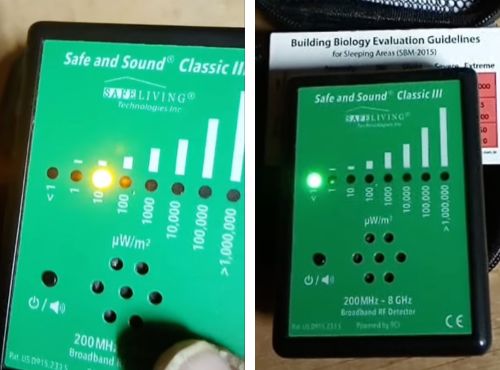
The Safe and Sound Classic III is the simplified version of the Pro II. Same frequency spectrum coverage of 200 MHz to 8 GHz, same audio function, and the same general approach to measurement. What it doesn’t have is a numerical display.

You get LED bars showing relative signal strength, but no actual µW/m² figures on screen. For some users that’s completely fine. If your goal is to identify RF hotspots, figure out where to move your router, or check whether a shielding product is having any effect, the LED display tells you what you need to know.

Where it falls short is precision. If you want to know whether a spot measures 2 µW/m² or 20 µW/m², the Classic III can’t tell you that. For tracking readings over time or comparing against specific reference thresholds, the lack of numbers is a real limitation.

What I like

  • Same 200 MHz to 8 GHz frequency range as the Pro II
  • Audio function for source identification
  • Simplest to operate of any meter on this list
  • Lower price point than the Pro II

Worth knowing

  • No numerical display, LED bars only
  • Can’t track or compare specific readings over time
  • Less useful for shielding verification where precise before and after numbers matter
  • RF radiation only, no magnetic or electric field measurement

My take: A solid starting point if the Pro II is out of budget and you primarily want to identify high RF areas rather than measure them precisely. If there’s any chance you’ll want real numbers down the road, spend the extra money on the Pro II now.

Check price on Amazon

4. LATNEX HF-B3G

The LATNEX HF-B3G is the most accessible entry point on this list. It measures RF radiation from 50 MHz to 3.5 GHz, gives you numerical readings in µW/m², and has a triple-axis sensor that captures signals from all directions simultaneously without needing to rotate the meter.

That triple-axis design is worth highlighting. Most handheld portable RF detectors at this price are single-axis, meaning you have to sweep the meter in different orientations to find the peak signal. The HF-B3G handles that automatically, which makes testing faster and more repeatable for someone just learning the process.

The honest limitation is the 3.5 GHz frequency ceiling. It will catch most of what you’ll encounter in a typical home, but it will miss 5 GHz Wi-Fi, which is increasingly the dominant band in newer routers. If your router spends most of its time on 5 GHz, you’re only getting part of the picture.

What I like

  • Triple-axis sensor captures all directions without rotating the meter
  • Numerical display in µW/m²
  • Covers 50 MHz to 3.5 GHz for most common RF sources
  • More accessible price point than the rest of this list

Worth knowing

  • Frequency ceiling of 3.5 GHz misses 5 GHz Wi-Fi
  • Less commonly used by practitioners than the other products on this list
  • Not ideal as a long-term tool if your environment includes modern dual-band routers

My take: A reasonable first meter if you want to get started without spending $300 or more. Just know that if your router runs primarily on 5 GHz, you’ll need to upgrade eventually. The Safe and Sound Pro II is the better long-term investment for most people.

Check price on Amazon

A Note on the Safe and Sound Pro mmWave

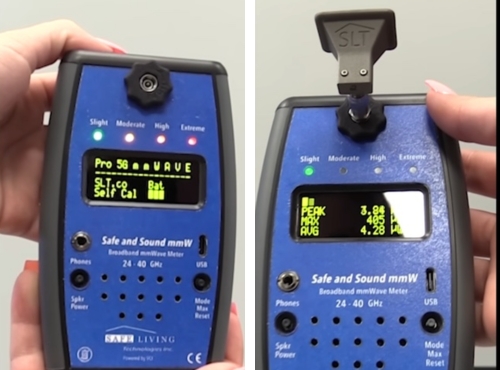
You’ll see the Safe and Sound Pro mmWave come up when researching 5G meters and it’s worth addressing directly. It measures millimeter wave frequencies between 20 GHz and 40 GHz, the high-band 5G found in very dense urban environments.

For most people it isn’t a relevant choice. Current 5G in the vast majority of locations uses sub-6 GHz frequencies, which all four meters above detect. Millimeter wave barely penetrates walls, travels only short distances, and exists in such limited locations that most people will never encounter it at measurable indoor levels. If you live on a block in a major city where mmWave 5G is actively deployed, it’s a niche tool that does one specific thing well. For everyone else, the four meters above cover what you’ll actually encounter.

What to Look for in an RF Meter

Before you spend anything, these are the specs that actually matter and the ones you can safely ignore.

Frequency range matters more than most specs. Make sure any meter covers at least 200 MHz to 6 GHz to capture modern Wi-Fi, cell, and 5G signals across the full electromagnetic spectrum. A meter that doesn’t cover the frequency your main RF source operates at is useless for that source.

Peak readings matter more than average. Pulsed digital signals like Wi-Fi and cell towers fire in rapid bursts. A meter that only shows average readings will significantly understate the actual exposure levels you’re experiencing. Look for a meter that shows both.

Audio is more useful than it sounds. The sound function on a quality RF meter lets you hear the signal pattern, which helps you identify sources without staring at the display. It sounds minor until you’re trying to figure out whether a reading is coming from your router or your neighbor’s smart meter.

An RF meter only covers part of your home’s EMF picture. Magnetic fields from wiring and electric fields from voltage require a separate meter. If you want to cover all three field types and measure overall emf levels in one device, my full breakdown of the best EMF meters for measuring magnetic, electric, and RF fields covers all your options in one place.

Frequently Asked Questions

Here’s what most people still want to know after reading through the reviews.

What does an RF meter measure?

An RF meter measures radiofrequency radiation, the wireless signals emitted by devices like Wi-Fi routers, cell towers, smart meters, Bluetooth devices, and cell phones. It picks up the electromagnetic energy those devices transmit and gives you a reading in µW/m² or V/m. For a full breakdown of what an RF meter measures, including power density, frequency range, and why broadband readings work the way they do, see my companion guide.

A quality RF meter will show you both peak readings, the momentary spikes when a device transmits, and average readings, which give you a better sense of ongoing exposure over time.

Can an RF meter detect 5G?

Most decent RF meters can detect the 5G signals nearly everyone actually receives, since mainstream American 5G runs on frequencies below 6 GHz that good consumer meters already cover. But almost no consumer meter can detect millimeter-wave 5G, and several popular meters miss part of mainstream 5G because their range stops at 3.5 GHz.

For the full breakdown of can an RF meter detect 5G, including which frequency bands matter and how specific meters stack up, see my companion guide.

How is an RF meter different from an EMF meter?

RF is one type of electromagnetic field, so technically an RF meter is a type of EMF meter. In practice, dedicated RF detectors only measure radiofrequency radiation, while a standard all-in-one EMF meter also measures magnetic fields from wiring and electric fields from voltage.

I’ve broken down exactly how these two types compare in my RF meter vs EMF meter guide, including which one makes sense to buy first. If you want the full picture of what’s in your home, you need a meter that covers all three field types.

What should I look for when buying an RF meter?

Frequency range is the most important spec. Make sure any model you’re considering covers at least 200 MHz to 6 GHz to capture modern Wi-Fi, cell signals, and current 5G deployments.

Beyond that, look for a meter that shows both peak and average readings, has an audio function for source identification, and displays power density in µW/m². Those three things will take you further than any other feature on the spec sheet.

How reliable are consumer RF meters?

It depends on the meter. Quality varies significantly in this space, and a cheap meter with poor frequency response can give you a false sense of safety by missing signals it simply isn’t sensitive enough to detect.

The meters on this list are reliable enough for meaningful home evaluation and exposure assessment. For most people, the goal is to understand whether RF levels in a given area are low, moderate, or high, and a well-made consumer meter gives you a reliable way to do that.

What do RF meters typically cost?

The range runs from around $100 on the low end to $400 or more for professional-grade solutions. Budget meters under $150 often sacrifice frequency range and sensitivity.

The sweet spot for serious home use is $200 to $400, which is where you find meters with third-party calibration, full frequency coverage, and the audio and display features that make testing genuinely useful. Going above $400 gets you into professional territory that most home users don’t need.

Can a smartphone replace a dedicated RF meter?

No. A smartphone has no sensor capable of measuring radiofrequency radiation from external sources. What phones do have is a magnetometer used for compass navigation, and some apps use that to detect static magnetic fields.

But that sensor wasn’t designed for EMF measurement, the readings are unreliable, and it cannot detect RF radiation, electric fields, or the dynamic electromagnetic fields produced by wireless devices. A dedicated meter is the only reliable way to measure RF exposure in your home.

Will an EMF meter pick up Wi-Fi signals?

Yes, as long as it has an RF measurement mode that covers the 2.4 GHz and 5 GHz frequency bands that Wi-Fi operates on. Not all EMF meters do. Some budget models only measure magnetic fields and electric fields, with no RF capability at all. If detecting Wi-Fi radiation is part of your goal, check the frequency range of any meter before you buy.

Do RF meters need to be calibrated?

The meters on this list are factory calibrated before they ship. Consumer meters aren’t designed for ongoing user recalibration the way professional laboratory equipment is. For home use, factory calibration is sufficient. The Safe and Sound Pro II goes a step further with third-party certification from an independent lab, which gives you more confidence that the readings reflect real-world power density levels accurately.

Can RF radiation pass through walls and building materials?

Yes, though how much passes through depends on the frequency and the material. Lower frequency RF signals travel further and penetrate most common building materials easily. Higher frequency signals lose more energy passing through dense materials like concrete and brick.

This is relevant when you’re testing your home because the RF you’re measuring isn’t only coming from devices inside your house. Cell tower signals, a neighbor’s router, and smart meters on exterior walls can all contribute to the electromagnetic fields inside your living space. Measuring in multiple rooms and near exterior walls gives you a much clearer picture than testing in one spot.

This article is for informational purposes only and does not constitute medical or health advice. Always consult a qualified healthcare professional with any concerns about your health or environment.

Leave a Comment