When you start shopping for an EMF meter, you’ll run into the terms single-axis and tri-axis fairly quickly. Most listings mention one or the other without explaining what the difference means in practice. This article clears that up so you can make a straightforward decision before you buy. If you haven’t chosen a meter yet, start with the best EMF meter options first.
The Core Difference
A tri-axis meter measures EMF on three planes simultaneously: left to right, front to back, and up and down. It combines those three readings internally and gives you a single number that reflects the total field strength regardless of how you’re holding the meter.
A single-axis meter measures on one plane at a time. To find the true peak reading you need to rotate the meter slowly through different orientations until the number stops climbing. The highest reading you find is your actual measurement.
It takes a little more technique but it’s not complicated once you’ve done it a few times.
What This Means When You’re Testing
For magnetic field measurements the difference matters most. Magnetic fields radiate in all directions from a source, so the angle you’re holding the meter affects what you read. A tri-axis meter handles this automatically.
With a single-axis meter you need to be deliberate about rotating to find the peak. Otherwise you can easily underread a source without realizing it.
For RF the distinction plays out differently. RF from a router or phone doesn’t radiate equally in all directions. The EPA notes that RF energy decreases as it travels and varies based on the direction and distance from the transmitter, which is exactly why a single-axis meter will give you meaningfully different readings depending on which way you’re pointing it.
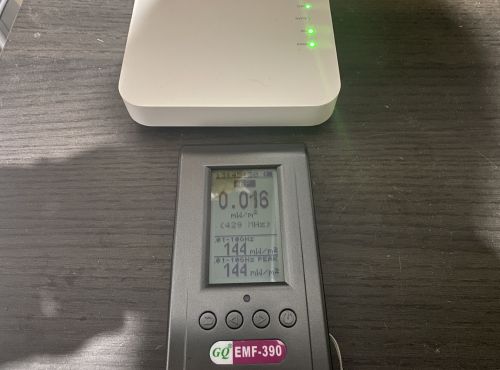
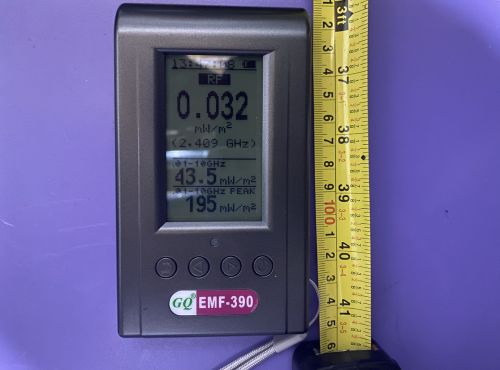
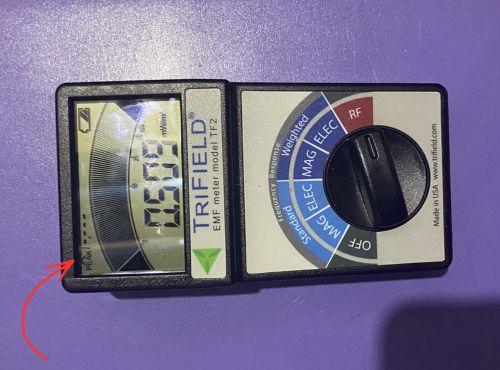
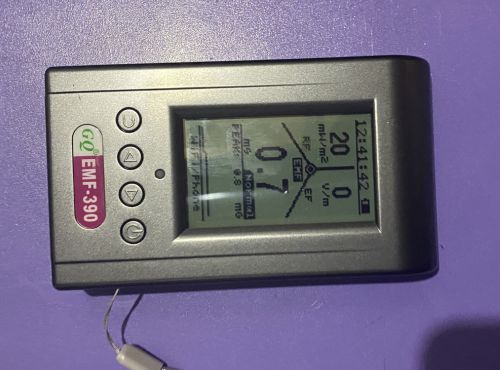
I tested this directly with my router streaming video, taking readings at three feet in four orientations with both my Trifield TF2 and my GQ EMF-390. Neither meter gave its highest reading pointing directly at the router.
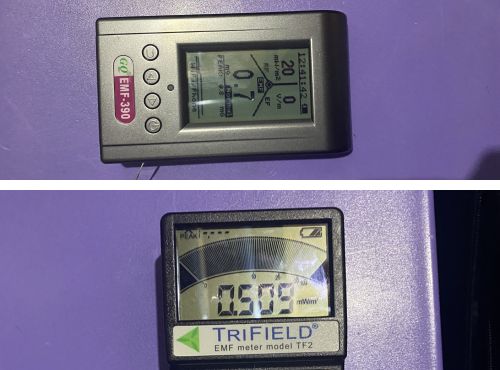
The GQ peaked on its broadband live reading facing left at around 10 to 11 mW/m², compared to roughly 5 mW/m² pointing straight at the router. The TF2 hit its highest peak facing left as well, with readings up to 19.140 mW/m² compared to 9.388 to 9.640 mW/m² facing the router directly.
That’s not the meters being inconsistent. That’s single-axis behavior working exactly as it should, revealing that RF energy from your router isn’t coming at you equally from every direction.
An Important Clarification About the Trifield TF2
This is where a lot of people get confused. The Trifield TF2 is tri-axis for magnetic fields only. Its RF mode is single-axis, the same as the GQ EMF-390 and most other meters in this class.
If you’re testing RF with the TF2 you need to rotate it to find the peak reading just like any other single-axis meter. The tri-axis advantage disappears the moment you switch to RF mode.
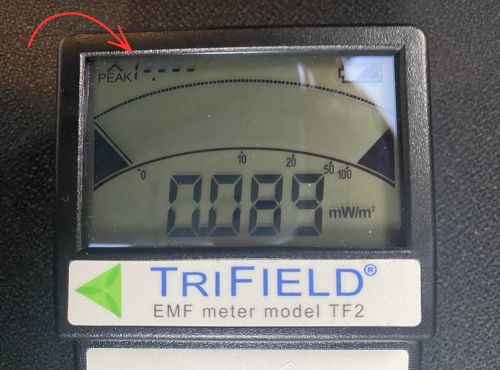
The TF2’s RF mode also has a maximum ceiling of 19.999 mW/m². During my directional testing the TF2 peaked out entirely on the facing-left orientation, meaning the signal exceeded what the meter can display. For a fuller picture of how the two meters compare on RF, my hands-on testing of the GQ EMF-390 goes into detail on where each meter’s RF capability begins and ends.
For magnetic and electric field work at power-line frequencies the TF2 is excellent. For RF from modern wireless devices at close range, a meter with a higher RF ceiling gives you more complete data.
When Two Meters Show Very Different Numbers
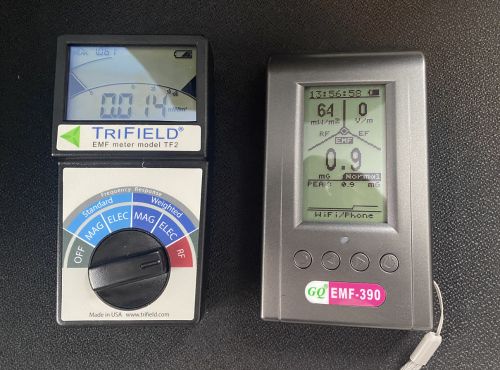
Here’s something worth understanding if you’ve ever held two meters side by side and gotten very different RF readings at the same spot. Part of the explanation is sensitivity and RF ceiling as described above. But part of it is simply orientation.
Both meters are single-axis for RF. If they’re positioned differently relative to the source, even by a few inches or a slight angle, they can give meaningfully different readings at the same moment.
This is also why a controlled test with one meter at a time, at a fixed measured distance, with a consistent orientation, gives you more reliable comparison data than holding both meters up simultaneously and reading whatever appears on screen.
What the Numbers Actually Look Like
Here’s what I measured at three feet from my router across four orientations while streaming video. The TF2 displays two numbers: the highest reading captured since the last reset (peak) and what it’s detecting right now (live). The GQ RF screen shows a broadband live reading across its full frequency range.
Trifield TF2 — Peak Reading by Orientation (mW/m²)
| Orientation | Peak |
|---|---|
| Facing router | 9.4 to 9.6 |
| Facing left | 16.6 to 19.1* |
| Facing right | 9.9 to 10.5 |
| Facing backward | 11.6 to 12.2 |
*One reading exceeded the TF2’s 19.999 mW/m² ceiling and peaked out.
GQ EMF-390 — Broadband Live Reading by Orientation (mW/m²)
| Orientation | Broadband Live |
|---|---|
| Facing router | 4.96 to 5.59 |
| Facing left | 9.69 to 11.4 |
| Facing right | 13 to 20 |
| Facing backward | 3.84 to 9.18 |
Both meters were positioned three feet from the router while streaming video. Each orientation was tested three times five seconds apart. Neither meter gave its highest reading pointing directly at the source.
Both meters show the same pattern: the highest readings don’t come from pointing directly at the source. If you had taken one reading pointing straight at the router and stopped there, you would have missed the true peak on both meters. That’s the single-axis lesson in real numbers.
Does Tri-Axis Always Win
Not necessarily. Tri-axis is more convenient for magnetic field testing and removes the technique requirement entirely, which matters if you’re new to testing.
But single-axis meters used correctly give you accurate readings. The difference is technique and time, not precision.
Professional building biologists often prefer single-axis meters because they want to understand the directionality of a field rather than just its total strength.
Knowing which direction a field is strongest coming from can tell you something useful about where the source is and how to address it. Instruments like the Gigahertz Solutions HF59B, which is widely used in building biology practice, are single-axis by design. A full review of that meter is coming to the site.
Which One Should You Buy
If you’re buying your first meter and want something you can pick up and use without thinking about technique, tri-axis magnetic field measurement is the friendlier starting point. The Trifield TF2 and how it handles real-world home testing covers exactly what that experience looks like in practice.
If RF measurement is your primary focus, axis count matters less than RF ceiling and frequency coverage. Most meters are single-axis for RF regardless of how they handle magnetic fields, so look at the RF range and sensitivity first.
Rotate First, Then Read
Whether you’re using a single-axis or tri-axis meter, the habit of rotating slowly and noting the peak before settling on a reading will serve you well.
For magnetic fields a tri-axis meter makes this unnecessary. For RF it matters regardless of which meter you’re using.
The readings above show exactly why that habit makes a difference. The highest number isn’t always where you expect it to be.